Please Select Your Country and Language Preferences
Changing your location may affect product availability. Certain products may not be available in all international regions.
Current Selected Country: United States | English

DTM Engineering & Manufacturing Packages
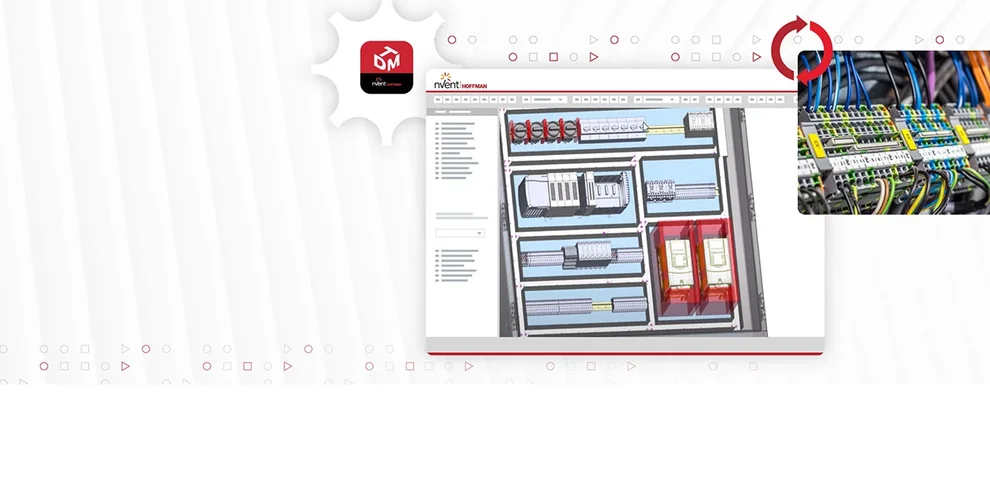
DTM Engineering Manufacturing Banner
DTM Engineering and Manufacturing Packages
The easy route to automating electrical panel production
TAKE A TEST DRIVE

The key to unlocking Industry 4.0

DTM Engineering and Manufacturing Software turns the promise of digitalization into a reality. Through a suite of game-changing features, these packages transform your operations with a pivotal, simple solution: a connected design platform that drives more efficient manufacturing, assembly and service. Effortlessly navigate between different design modules, get up-to-date information on key changes, and reap the cost benefits of meaningful automation with an end-to-end tool that levels up your design-to-manufacturing process.
 

nVent_Web_Image_01_648x400.webp

DTM-Software.webp

PROFESSIONAL PACKAGE

Start accelerating your operations
 
Your engineers will love the convenience of working in a familiar 2D environment combined with the added benefits of 3D cabinet design. Better yet, your bottom line will appreciate the accelerated production timelines enabled by more consistent and reliable handoffs between design and manufacturing. Enhanced visualization options, customized reports, automatic wiring options aligned with a variety of cabinet applications––it’s all a part of the professional package, along with much more. 


Key features of DTM Professional package :

  • 2D and 3D Panel Design: Engineers can easily design electrical panels in both 2D and 3D views, with changes saved simultaneously. This allows for efficient planning of form, fit, and function early in the design process.
  • Smart Cabinet-Building Features: The package offers various smart features to simplify and streamline end-to-end processes involved in cabinet building. This includes generating data necessary for automated manufacturing, wiring, and assembly of solutions.
  • Powerful Schematic Creation: The software facilitates advanced schematic creation with automated wire and device tags, intelligent signal flow, and active and passive design rule checks. This ensures accuracy and reliability in the schematic design.
  • Customizable Report Generation: Users can generate customizable reports and documentation with the help of a modern reporting editor. This feature aids in comprehensive project documentation and communication.
  • Panel Layout Tools: The package includes easy-to-use panel layout tools connected with schematics to simplify layout and use automated intelligent wire routing. This ensures precise wire lengths and duct fill ratios, optimizing panel design.

DTM PROFESSIONAL DATASHEET

HOFFMAN-DS-N01033

DOWNLOAD


Image-DTM-Premium-Package.webp

PREMIUM PACKAGE
 
Take your efficiency to the next level
 
The premium package takes all the benefits of the professional package and enhances them with additional opportunities for streamlining and strengthening your processes. Take advantage of advanced drawing capabilities that offer your team enriched ways to create and share designs, and leverage dynamic cable management capabilities that further optimize design. Hit the ground running with the ultimate package right away. Or, when you’re ready to achieve the highest level of consistency, quality and speed, upgrade to the premium package.


Additional features available in our DTM Premium package include:

  • Advanced Drawing Capabilities: Create single line drawings with ease, ensuring connected views sync seamlessly with schematics and panel layouts. This integration enhances clarity and precision throughout the design process.
  • Automated Connection Maintenance: Keep connection wiring diagrams up-to-date effortlessly, with automatic updates reflecting the latest connectivity information across your entire project. This ensures accuracy and consistency at every stage.
  • Enhanced Cable and Connector Design: Simplify cable and connector design with dynamic cable creation and management capabilities. Represent multiple pins with a single connection point for connectors, streamlining the design process and optimizing efficiency.

DTM PREMIUM DATASHEET

HOFFMAN-DS-N01033

DOWNLOAD


FeaturesDTM ProfessionalDTM Premium
Schematic and Panel (Design Collaboration)  
Live online design rule checks to eliminate errors before they occur✔✔
Passive design rule checks to inspect design quality ✔✔
Automatically select pin terminals based on wire size✔✔
Real-time information synchronization between drawing types✔✔
Automated selection of connector mates, inserts, contacts, wire end treatments, seals, plugs, etc. ✔✔
Manage project organization by location or function✔✔
Intelligent tagging for devices, wires, cables and other design objects✔✔
Supports PLC based designs with intelligent I/O management✔✔
Supports terminal strip planning and assignment✔✔
Supports options and variance in design✔✔
Connection wiring diagrams automatically reference schematic and panel layout data ✔
Add multiple views of an object  ✔
FeaturesDTM ProfessionalDTM Premium
Schematic Design
Automated naming and signal management ✔✔
Automatically maintain signal continuity and integrity✔✔
Automatically size wires based on pin restrictions✔✔
Auto place shields, bundles and other cabling details✔✔
Supports auto-connect and holds connection if components are moved✔✔
Intelligent off page connection management✔✔
Real-time component cross reference management✔✔
Ensure integrity of connector mates✔✔
Avoid signal cross connection or shorts for named signals✔✔
Automatically update data across the project✔✔
Create intelligent single line drawings  ✔
Create intelligent connection wiring diagrams ✔
Single line drawings automatically update from and to schematics ✔
Create cable layout views ✔
Define dynamic cables in the project ✔
Represent complete connector with a single pin representation  ✔
Intelligently split and merge connectors pins ✔
FeaturesDTM ProfessionalDTM Premium
Panel Layout
2D Panel layout✔✔
3D Panel layout✔✔
Route wires automatically with manufacturing accuracy✔✔
Apply cutouts and keep outs for enclosure modification✔✔
Detect collision in 3D while placing object in 2D✔✔
Bi-directional representation of 2D and 3D views✔✔
Intelligent duct and rail hole calculations✔✔
Intelligent mounting inside panels✔✔
Create 2D drawings of 3D layout ✔✔
View all or single enclosure in one drawing✔✔
Connected sub-section views of enclosure✔✔
Define wire routing path with ducts in the panel layout✔✔
Plan signal inclusion and exclusion from wire ducts✔✔
Shortest path detection for wire routes✔✔
Collision detection in 3D to ensure manufacturability✔✔
Automatic wire numbering and device tagging ✔✔
FeaturesDTM ProfessionalDTM Premium
Library and Database Management
Easy to use library of parts✔✔
Shared library for multiple teams and sites✔✔
Capture manufacturing and engineering data in one place✔✔
MS SQL, Oracle or Access database for sharing parts and standards✔✔
Company specific customizable attributes and text types✔✔
Easy to create panel parts with STEP or DWG ✔✔
Add 3D details to 2D objects✔✔
Part management as one object with multiple representations to ensure consistency✔✔
Manage connectors with mates and inserts✔✔
Define and manage reusable circuits or blocks in library ✔✔
Define cables and connectivity in the library✔✔
Define keep out areas and restrictions in the library✔✔
Define drill holes, cutouts, and other physical details in the library✔✔
Define mounting details in the library✔✔
Manage wires and cables in the library ✔✔
Configure part rules for accurate wire sizes and lengths ✔
Automatic wire numbering and device tagging ✔✔
FeaturesDTM ProfessionalDTM Premium
Import and Export
Export as DWG✔✔
Export as PDF✔✔
Create export for Modcenter cutouts✔✔
Create export for PWA✔✔
Create export for other wiring machines✔✔
Create ballooned onpage B.O.M✔✔
Import STEP models to create panel parts✔✔
Automatic wire numbering and device tagging ✔✔
FeaturesDTM ProfessionalDTM Premium
Automation and Reporting
Open API to create own customizations✔✔
Built-in reports to extract pertinent data✔✔
Custom report creation, design, and processing tools✔✔
Automatically create terminal layout drawings✔✔
Generate drawings from excel data✔✔
Start designs from excel From-to lists✔✔
Create output for automated test machines ✔✔
Automatic wire numbering and device tagging ✔✔

Ready to talk to our experts?


Contact us to arrange a demo, get your questions answered, and talk about how DTM software empowers automated engineering and simplifies your digital transformation journey.